


Introduction
Quartzmin is powerful, easy to use web management tool for Quartz.NET
Quartzmin can be used within your existing application with minimum configuration effort as a Quartz.NET plugin when it automatically creates embedded web server. Or it can be plugged into your existing OWIN-based web application as a middleware.
Quartz.NET is a full-featured, open source job scheduling system that can be used from smallest apps to large scale enterprise systems.
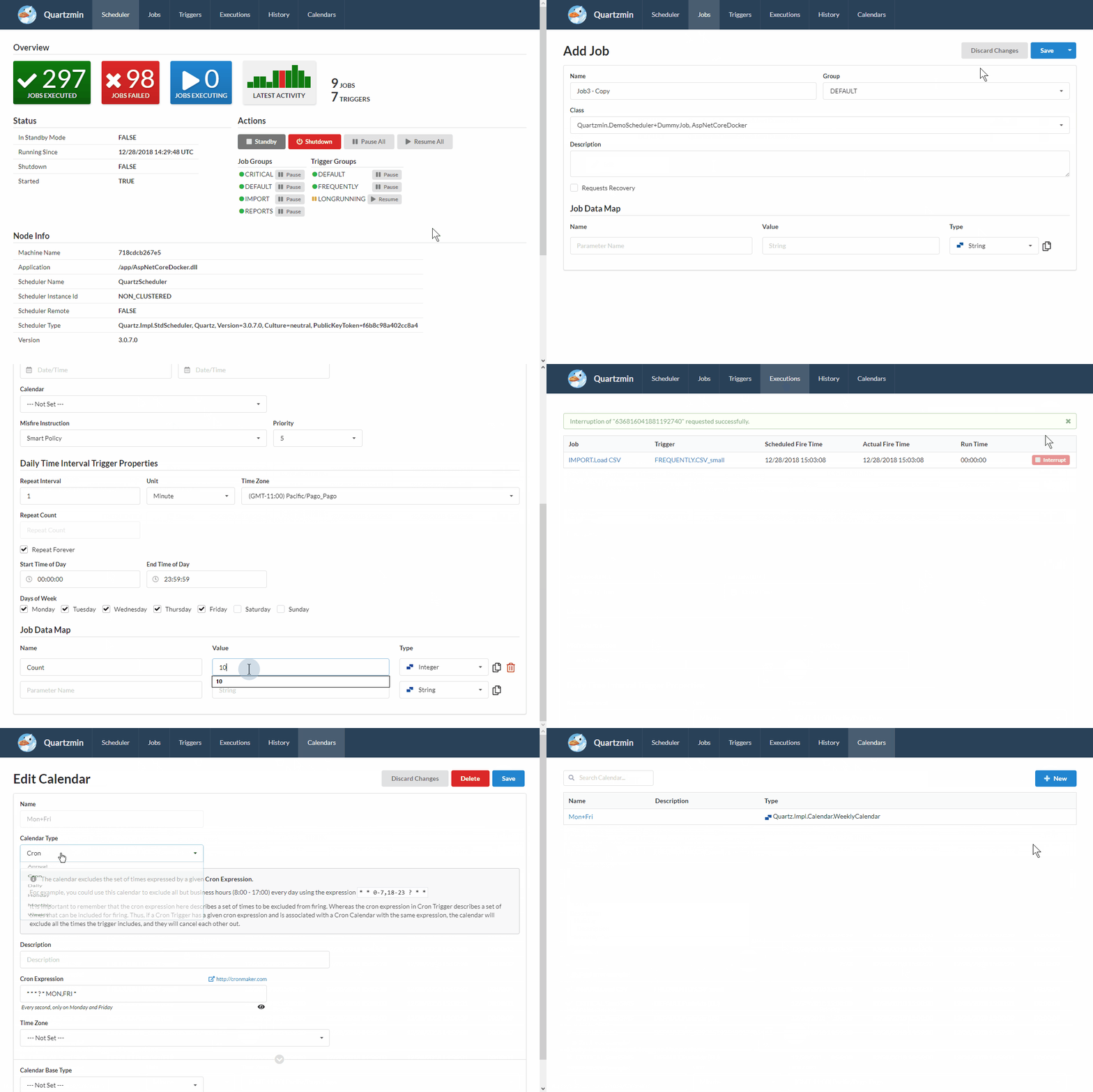
The goal of this project is to provide convenient tool to utilize most of the functionality that Quartz.NET enables. The biggest challenge was to create a simple yet effective editor of job data map which is heart of Quartz.NET. Every job data map item is strongly typed and Quartzmin can be easily extended with a custom editor for your specific type beside standard supported types such as String, Integer, DateTime and so on.
Quartzmin was created with Semantic UI and Handlebars.Net as the template engine.
Install
Quartzmin is available on nuget.org
To install Quartzmin, run the following command in the Package Manager Console
PM> Install-Package Quartzmin
Minimum requirements
- .NET Framework 4.5.2
- .NET Standard 2.0
Usage
Embedded web server
Everything you should do is just configure QuartzminPlugin and ExecutionHistoryPlugin to support histograms and statistics:
<configuration>
  <configSections>
    <section name="quartz" type="System.Configuration.NameValueFileSectionHandler" />
  </configSections>

  <quartz>
    <add key="quartz.plugin.quartzmin.type" value="Quartzmin.SelfHost.QuartzminPlugin, Quartzmin.SelfHost" />
    <add key="quartz.plugin.quartzmin.url" value="http://localhost:5000" />

    <add key="quartz.plugin.executionHistoryPlugin.type" value="Quartz.Plugins.RecentHistory.ExecutionHistoryPlugin, Quartz.Plugins.RecentHistory" />
    <add key="quartz.plugin.executionHistoryPlugin.executionHistoryStoreType" value="Quartz.Plugins.RecentHistory.Impl.InProcExecutionHistoryStore, Quartz.Plugins.RecentHistory" />
  </quartz>
</configuration>
OWIN middleware
Add to your Startup.cs file:
public void Configuration(IAppBuilder app)
{
    app.UseQuartzmin(new QuartzminOptions()
    {
        Scheduler = _schedulerInstance
    });
}
ASP.NET Core middleware
Add to your Startup.cs file:
public void ConfigureServices(IServiceCollection services)
{
    services.AddQuartzmin();
}

public void Configure(IApplicationBuilder app)
{
    app.UseQuartzmin(new QuartzminOptions()
    {
        Scheduler = _schedulerInstance
    });
}
Notes
In clustered environment, it make more sense to host Quarzmin on single dedicated Quartz.NET node in standby mode and implement own IExecutionHistoryStore depending on database or ORM framework you typically incorporate. Every clustered Quarz.NET node should be configured with ExecutionHistoryPlugin and only dedicated node for management may have QuartzminPlugin.
License
This project is made available under the MIT license. See LICENSE for details.